
Most vendor announcements don’t change how you think about a platform. They change a feature list. ServiceNow’s Model Context Protocol (MCP) Server, now generally available and bundled into every Now Assist and AI Native SKU, is not that kind of announcement. It changes what the platform is.
What ServiceNow calls Action Fabric is the shift from a system your people log into, to a system other software calls directly, under its own credentials, against live data, with no screen in between. That is a different kind of platform, and it carries a different kind of risk if nobody is watching it closely.
Three questions matter here, and most teams are not asking any of them yet.
What Actually Shipped
The technical piece underneath Action Fabric is the MCP Server, generally available today and included in every Now Assist and AI Native SKU. Entitlement is not the same as availability. MCP Server Console needs Zurich Patch 9 or Australia Patch 2 as a minimum platform version, so check where your instance actually sits before you assume the switch is there to flip. Anthropic is the first design partner, connecting Claude Cowork directly into ServiceNow’s system of action.
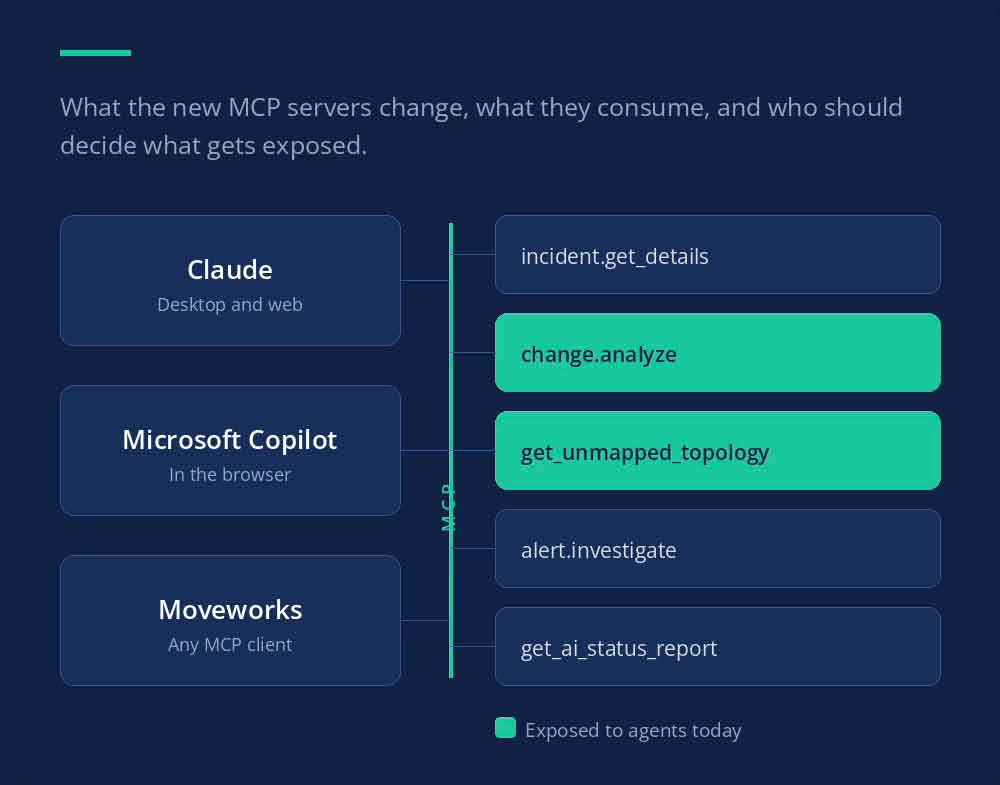
The detail worth sitting with is what it exposes. Most MCP integrations give an AI agent read and write access to data. ServiceNow’s version goes further. It exposes governed work, the flows, playbooks, approvals, and catalog items that already run when a human submits a request through the portal. A password reset playbook that runs through the ServiceNow UI today can run the same way when Claude, Copilot, or a custom agent triggers it instead. In the console itself, that governed work shows up as four tool types, Now Assist skills, Knowledge Graph, subflows and actions, and scripted REST APIs, each one wrapping an artifact you already own. Raw table access is excluded by design, and a subflow only qualifies if it is synchronous and explicitly marked callable by client API.
That reach spans IT, HR, customer service, security, risk and compliance, and app development. It is not a narrow pilot feature bolted onto one module. It is how KeenStack has already been putting Now Assist to work inside real delivery, and it is about to get a lot bigger.
What It Consumes When Someone Uses It
Every tool call an agent makes through the MCP Server draws from the same Assist currency your team already spends on Now Assist and AI Agents. ServiceNow built this as one unified consumption model, not a separate meter running quietly in the background. Practitioners report each tool call landing as the standard skill charge plus one additional assist, and the meter runs in sub-production instances too, not just production.
That sounds like a footnote. It is not. Before this, your Assist consumption was driven by people, how many agents used a skill, how often, and on which cases. Now it is driven by anything holding a valid OAuth token. An agent that retries a failed call five times, or one wired into a loop it was never meant to run in, spends from the same budget your human users depend on.
If your team is not already watching consumption at the tool level, this is the moment to start. Waiting for the first surprise invoice is the expensive way to learn that lesson.
Who Decides Which Tools Get Exposed
MCP Server Console ships with three roles. An administrator configures the server itself, a tools administrator creates and manages individual tools, and a viewer can invoke tools but change nothing. Every action that runs through those tools also passes through ServiceNow’s AI Control Tower, which handles identity verification, permission scoping, and the audit trail behind it. One caveat is worth carrying into the design conversation. The consumption tracking, the sensitive data protection, and the exportable audit history all apply once your MCP server is actually managed by AI Gateway inside AI Control Tower. ServiceNow recommends that for production. It is not automatic.
The governance framework exists. What it does not do is decide, for you, which tools should be exposed, to which agents, under which roles. That is a business decision, and right now it is often being made by whoever finishes the setup screen first, not by whoever should own the outcome.
Before an agent gets wired up to your instance, someone needs to own that call on purpose, not after a vendor demo, and not after a well-meaning admin flips it on to see what happens.
Questions to Ask Before You Turn This On
- Which tools, on which servers, actually need to be exposed to an outside agent right now?
- Who holds the tools administrator role, and do they know that role now controls what agents can act on?
- Where does your Assist consumption budget stand today, and who gets alerted when agent traffic moves it?
- Does every exposed tool trace back to an owner who can explain, in one sentence, why it is callable?
The Bottom Line
ServiceNow did not just add another integration option. It turned the platform itself into something callable, by design, at scale. That is a meaningful shift, and it deserves more than a scroll-past.
Get ahead of the three questions above now, what is exposed, what it costs, and who decided. KeenStack helps clients stand up that governance model deliberately, roles, consumption visibility, and tool ownership in place before agents start acting on your instance, not after. If you are wiring agents into ServiceNow this quarter, talk to us before you flip the switch.